Troubleshooting and common questions
Here are some common issues we've seen raised about working with the MCP.
Timeouts
Most operations will complete without any issues. The generate-design tool can have longer execution times. If you experience a timeout with these operations in the Canva MCP, we recommend increasing your timeout to 60 seconds.
Manual client registration
If your platform doesn't support DCR, you can manually register your client to get a client ID and client secret:
-
In a terminal, run the following command (replace the placeholder values):
curl --location 'https://mcp.canva.com/register' \--header 'Content-Type: application/json' \--data '{"client_name": "<your client name>","redirect_uris": ["<your redirect URL>"],"grant_types": ["authorization_code"]}' | jq '.'SHELL -
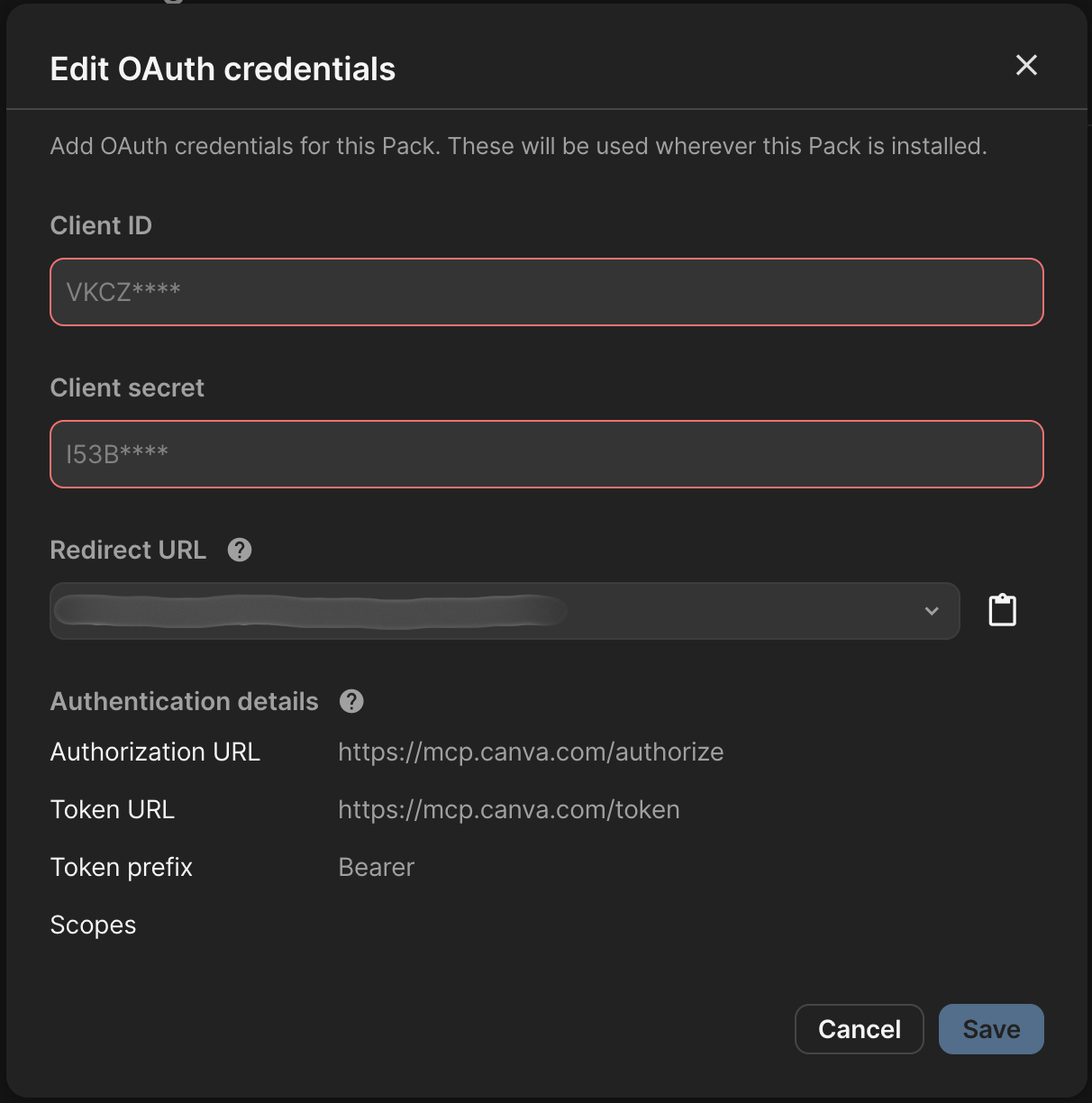
Use these URLs for your authentication setup:
- Authorization URL:
https://mcp.canva.com/authorize - Token URL:
https://mcp.canva.com/token
- Authorization URL:
-
Add the client ID and client secret returned from the curl request into your OAuth credentials configuration.
Organization level authentication
Canva doesn't support organization level authentication. Each user must authenticate individually with Canva. Unlike some APIs where you can authenticate at the application level, the Canva MCP requires per-user authentication for the following reasons:
- Access varies by user: Users have different permissions to designs, brand kits, and assets based on their Canva account and team memberships
- Personal content: Users can only access their own designs and resources, or those shared with them specifically
- Security and privacy: Individual authentication ensures users only see content they're authorized to access
You can't set up a single "service account" or application-level authentication that works for all users. Each user connecting through your platform will need to complete the OAuth flow with Canva to grant access to their personal content.
Enabling the right domains
Canva's MCP server communicates over two domains:
canva.comcanva.ai
Your client will need to allow responses from both domains for optimal performance and to avoid cross-origin request restrictions.