Developer showcase
How Image Upscaler became the top app in the Canva Apps Marketplace
What developers can learn from their success.
When A1D.ai(opens in a new tab or window) first launched Image Upscaler in the Canva Apps Marketplace, they set out to solve a simple but frustrating problem: blurry, low-resolution images holding back beautiful designs. What followed became one of the best examples of third-party developer success in the history of our platform.
Over the course of its lifetime, Image Upscaler became the most-used third-party app ever published to the Canva Apps Marketplace — and a genuine example of what's possible when a developer builds something people really need.
The numbers speak for themselves
Image Upscaler reached 1 million monthly active users in just six months — 189 days from launch. That's a pace very few apps in any marketplace achieve.
From there, it kept going. Here's what the app accomplished over its lifetime:
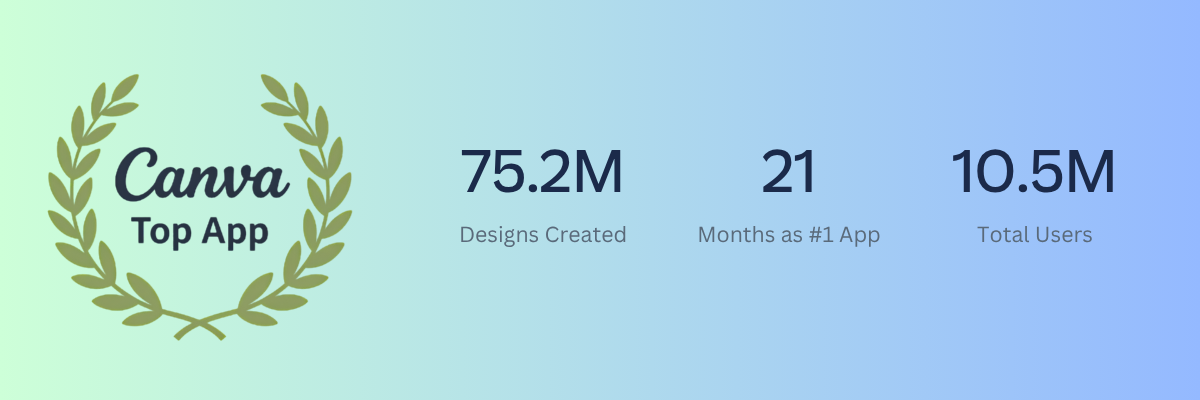
- 10.5 million total users
- 75.2 million designs created using the app
- 1.43 million peak monthly active users (10.7% of all App SDK users at the time)
- 21 consecutive months as the #1 top app in the Apps Marketplace
- 19 months with over 1 million MAU
- 1.6 million new Canva user signups driven by SEO traffic to the app
- 66,000 Pro trials started through the app
These aren't just big numbers. They represent millions of people — from freelance designers to enterprise teams — who relied on Image Upscaler as part of their daily creative workflow.
What made it work
1. Solve a real user pain point
Upscaling images sounds simple, but doing it well — preserving quality, working at speed, and fitting seamlessly into a design workflow — is genuinely hard. The A1D team got that right.
The app didn't try to be everything. It identified one specific, widespread frustration and solved it completely. That clarity of purpose is what earned it a place in millions of creative workflows.
Takeaway: Do the user research. Understand your audience. Don't be afraid to start small.
2. Do one thing, and do it extremely well
Image Upscaler had exactly one function: upscale an image. One click. No sign-ups, no settings, no exports, no friction. The UI was so minimal it felt like a native Canva feature — which, for many users, it effectively was.
This is one of the hardest things to get right as a developer. It's tempting to add features, expand scope, and handle edge cases in the UI. If you can resist it, the result is an app that feels immediate and trustworthy from the very first use.
When the A1D team later added bulk upscaling with a new flow (using openDesign and committing changes through the Apps SDK's design editing APIs), usage jumped ~25% almost immediately. But they kept the core single-image experience completely untouched.
Takeaway: Launch with one core function. Make it work brilliantly. Expand only when the core is already excellent.
3. Respond to enterprise use cases
The enterprise feedback we saw internally was a good reminder: enterprises use Canva apps at a scale individual users don't. When a team is processing hundreds of employee headshots, they need the app to behave consistently, handle edge cases gracefully, and work reliably at volume.
A1D's Bulk Upscaling feature — built using the Apps SDK's openDesign API to process multiple images in sequence — was a direct response to this kind of demand. It contributed to a meaningful bump in usage and deepened the app's value for professional teams.
Takeaway: Enterprise users are power users. Build for them intentionally. Bulk processing, reliability at scale, and consistent output quality matter a lot when organizations are building workflows around your app.
What's next
We're incredibly proud of what Image Upscaler achieved — and grateful to the A1D team for building something so many people loved.
As part of our ongoing commitment to bringing the best creative tools directly into Canva, we've launched Upscale — a native image upscaling feature built using technology from our Leonardo AI acquisition. Upscale brings the same core capability into the heart of the Canva and is available directly in the Photo Editing panel.
Image Upscaler was sunset from the Apps Marketplace on April 30, 2026.
This transition has been one of the most collaborative we've managed. A1D was a genuine partner throughout — working with us on the migration plan, supporting users through the transition, and approaching the whole process with grace. We're also excited to continue our relationship with them as they develop new apps for the Canva ecosystem. The A1D team has released a new bulk upscaling tool called Bulk Img Upscaler(opens in a new tab or window) available on the Apps Marketplace.
A note for developers
Image Upscaler is a remarkable case study in what's possible on the Canva Apps Marketplace. A focused, well-executed app — built by a small team using our public Apps SDK — reached tens of millions of users, drove millions of new signups, and became genuinely indispensable for large enterprises.
The platform that made that possible is more capable than ever. If you're thinking about what to build, the opportunity is real.