Canva for marketing
Build a DAM app in Canva
Access ad creatives, brand assets and track performance metrics by building a DAM (digital asset management) app.
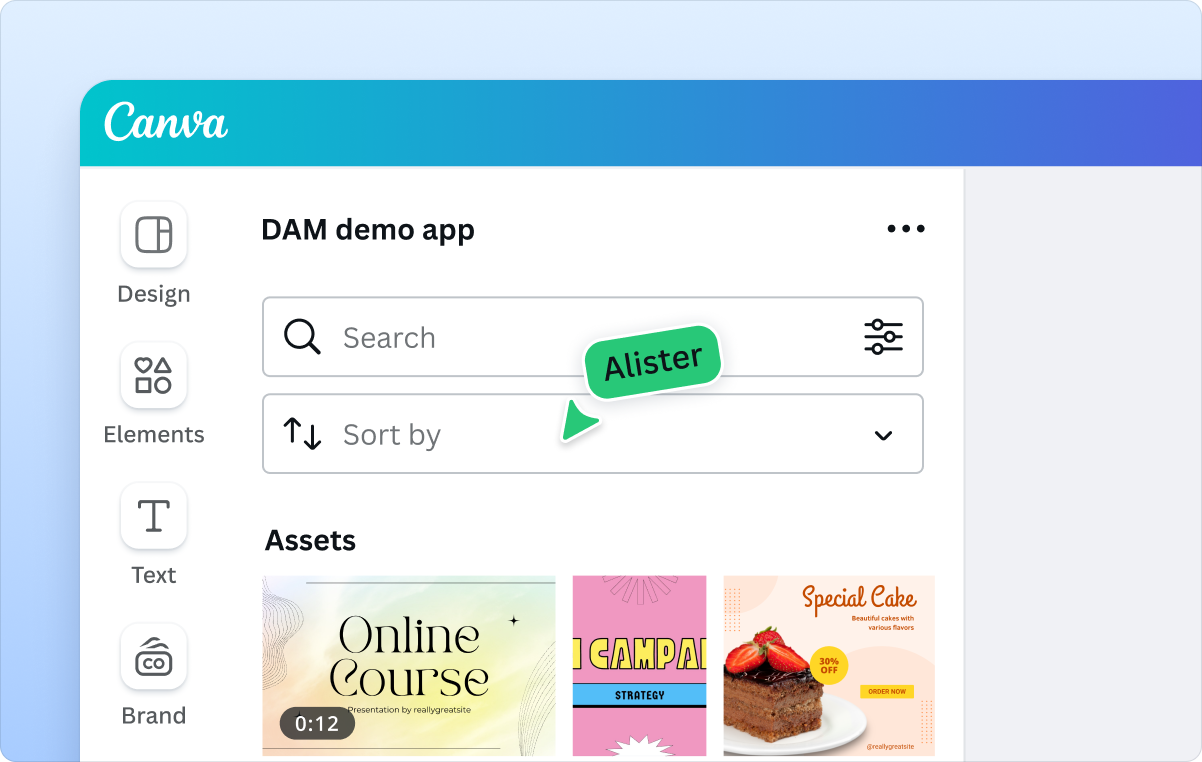
Your creative assets, directly in Canva
- Access your DAM assets inside of Canva
- Search and filter assets
- Drag and drop into your Brand Templates
Sync your marketing platforms
Streamline your workflows and accelerate campaign creation by connecting your platforms to Canva.
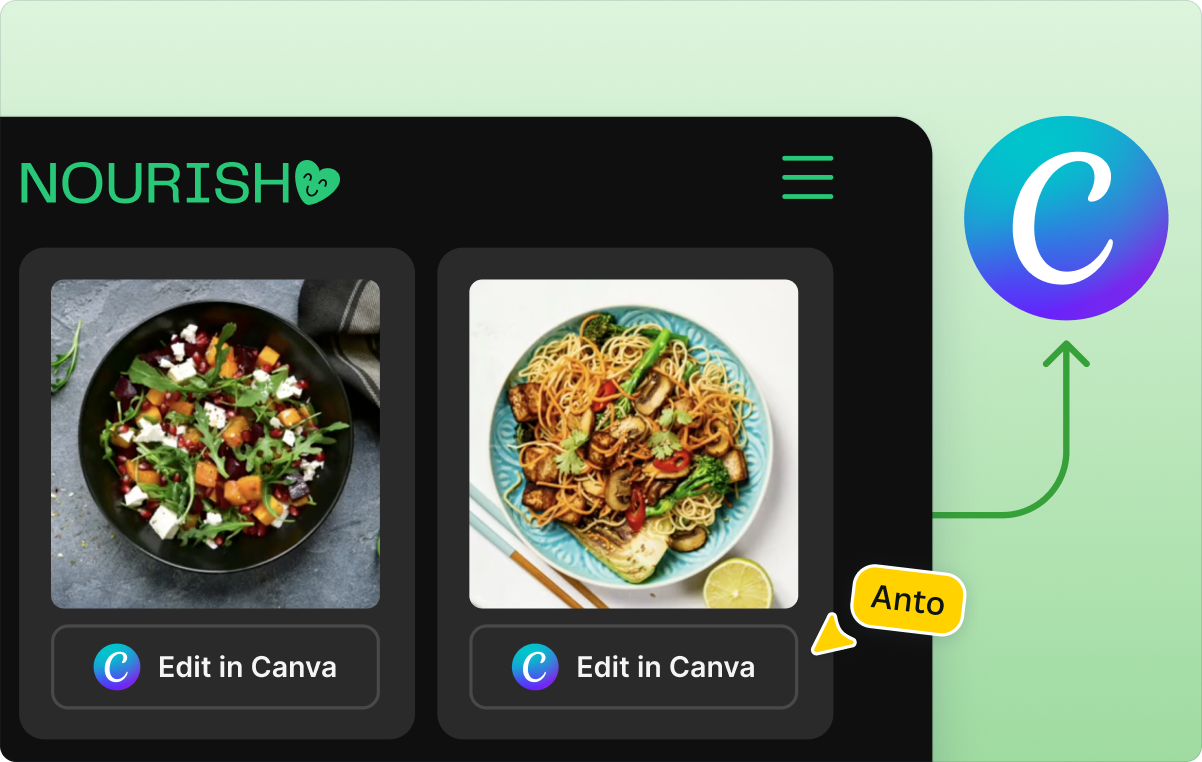
Integrate Canva where you need it
- Connect Canva to your marketing tools
- Sync ad creatives and assets directly to your platform
- Automatically update campaigns with edited Canva files
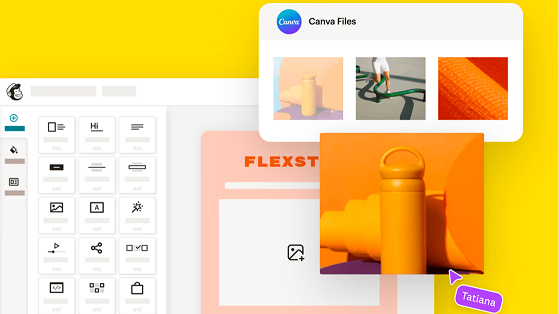
Canva + Mailchimp speed up email campaign production
Teams faced slower turnaround times from switching tools, manual uploads, and inconsistent email content.
Email graphics created in Canva automatically sync to Mailchimp’s Content Studio
Designs flow directly into Mailchimp’s drag-and-drop editor
Instant access to Canva designs, brand assets, Mailchimp templates, and AI-powered help all in one place
Explore existing solutions
Boost productivity by connecting Canva with tools your teams already love.














All the support you need
Get in touch or join our developer community.
Get instant answers while you build
Ask questions right in our developer documentation through the AI chat.
Learn from fellow builders
Join the conversation on our developer community and share what you’re working on.
Dive into the docs
Want to start building? Access the Quickstart guide or learn about our APIs.
Frequently asked questions
Common examples include connecting your DAM to Canva so teams can browse approved assets, manage usage rights, and pull in the latest brand visuals directly into designs.
Canva also integrates with many publishing tools, from email platforms, social schedulers, CMS systems, and marketing automation platforms. Many partners, such as Mailchimp(opens in a new tab or window), Hootsuite(opens in a new tab or window), and Sprout Social(opens in a new tab or window), have already built their own app using the Canva Connect APIs.
If your publishing workflow is customized, you can build your own app to export assets in the required formats and push them to your downstream tools.
It depends on your team’s technical comfort. Many organizations start with low or no-code tools like Zapier, Make.com modules(opens in a new tab or window), Workato, or N8N, which connect your marketing systems to Canva with minimal setup using the Connect API.
To test an in-editor experience, you can clone the DAM app template using the Canva CLI. It comes with a working UI, mock asset data, and clear TODOs for wiring in your own DAM, so you can get a basic prototype running in a few minutes.
You can also explore any of the existing DAM partner apps already available in the Canva Apps Marketplace(opens in a new tab or window), which may provide the functionality you need out of the box.
You can browse the latest DAM, marketing, and publishing apps directly in the Canva Apps Marketplace(opens in a new tab or window). The Marketing(opens in a new tab or window) and File & Data Management(opens in a new tab or window) categories provide an overview of the platforms that have already built apps with Canva.
If you’re using a specific marketing or asset management tool, it’s also worth checking if that platform already integrates with Canva using the Connect APIs. Many partners publish their apps independently, so your existing tools may already support Canva out of the box.
Canva includes strong brand consistency guardrails through Brand Kits, locked Brand Templates, approved fonts, and organization-level permissions. Canva apps inherit these controls automatically.
When you connect your DAM through a Canva app, those same safeguards apply, so teams stay on brand even as assets, metadata, or campaign content are surfaced through a custom DAM app or external tool.
Your app follows the permissions defined in your existing systems. When you connect a DAM to Canva, the app inherits access levels, asset visibility rules, and usage restrictions based on what your DAM’s API returns for each user. Canva doesn’t override your permission model. Your backend continues to determine who can view, search, or insert specific assets.
Contact our Sales team(opens in a new tab or window) to learn more about how Canva can support your organization’s goals. If your question is related to developer support, please lodge a “Technical support” request here(opens in a new tab or window). If you’d like to experiment with a proof of concept, you can also explore our existing build guides, which include examples for DAM apps.
We’re here to help
Chat with our friendly sales team about the possibilities for your custom build.