Multiple Listing Service app
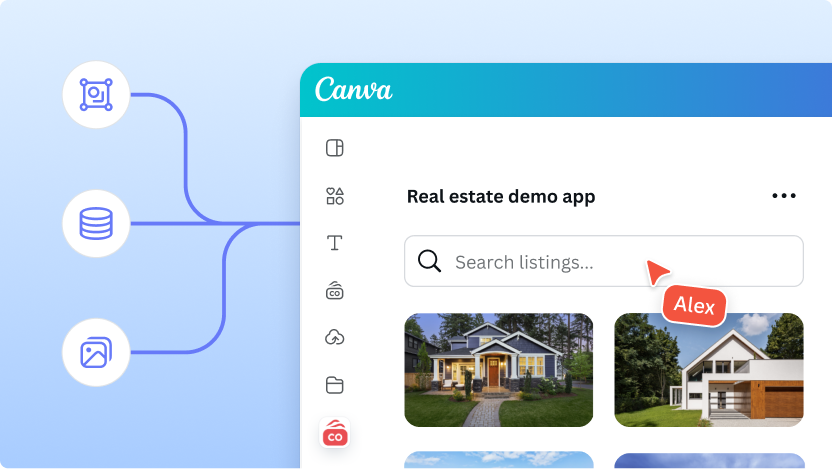
The MLS reference app is a starting point for building an app that lets users browse real estate listings and add the listing information and assets to their designs. It demonstrates how to display a searchable list of properties and handle drag-and-drop interactions.
This article shows you how to set up the MLS reference app, run it locally, and start building your own app.
Step 1: Create the app
-
Install the Canva CLI(opens in a new tab or window) globally:
npm install -g @canva/cli@latestSHELL -
Log in to the Canva CLI. This command opens an access request page in your browser:
canva loginSHELL -
Click Allow to grant the Canva CLI permission to manage your Canva apps.
-
Use the following command to create a new app using the MLS reference app:
canva apps create --template="mls"SHELL -
The setup process guides you through the remaining settings:
- Choose any optional configs you want to add to your project.
- Choose the audience for your app.
- Enter a name for your app.
- Choose whether to initialize a git repository for your project.
- Choose whether your project should use npm to install its dependencies.
After the setup process has completed, the output lists the steps for running the new app. For example:
cd mls-app-solutionnpm start
- Replace
mls-app-solutionwith your app's name.
Step 2: Preview your app
Run the app locally to see a preview.
-
In your app's root directory, start the app.
cd mls-app-solutionnpm startSHELLAfter the app starts, the output shows a direct link to preview the app.
-
Click the link in the terminal to open the app in the Canva editor.
-
Click Open if prompted. This message only appears when using an app for the first time.
The app should now be running locally. In the preview, choose a property listing and drag the images or text to your design.
Step 3: Connect to real MLS data
The reference app uses dummy data by default. To build a production app, you need to connect to your MLS provider's data.
Most MLS providers require authentication and shouldn't be accessed directly from the frontend to avoid exposing your API keys. You should set up a backend to proxy requests to the MLS provider.
-
Set up a backend: Use the backend guide or your own backend infrastructure.
-
Fetch data: Open
src/adapter.ts. This file contains the logic for fetching listings and agents. -
Replace the mock data implementation in
fetchListingswith a call to your backend.// src/adapter.tsexport const fetchListings = async (office?: Office | null,query?: string,propertyType?: string | null,sortBy?: string | null,continuation?: string,): Promise<{ listings: Property[]; continuation?: string }> => {const params = new URLSearchParams({ query: query ?? "" });// Replace with your backend endpointconst response = await fetch(`https://api.example.com/listings?${params}`);return await response.json();};TS
For more information on backend integration, see Using a backend.
Next steps
- Explore the App UI Kit to add more components to your app.
- Learn about Drag and Drop to improve how users interact with listings.
- Submit your app to the Canva Apps Marketplace.