Content Publisher Intent
Simplebooklet partner solution
How Simplebooklet achieved a 10x user increase with Canva's Content Publisher Intent.
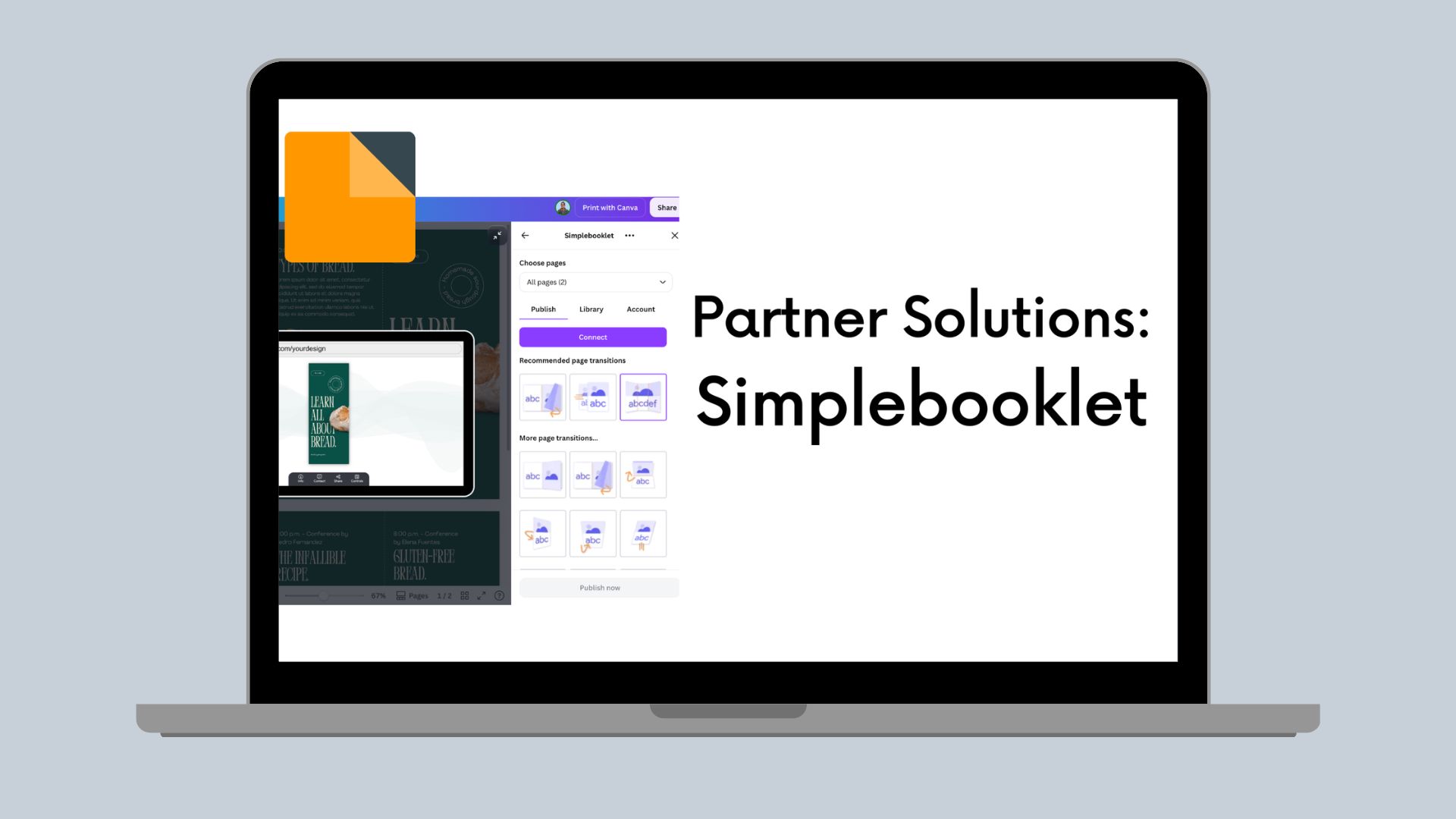
Simplebooklet(opens in a new tab or window), a SaaS platform for creating interactive digital publications, integrated Canva's Content Publisher Intent to let users export designs directly into branded flipbooks and brochures. This integration not only streamlined their user workflow but delivered measurable results: a 10x increase in new users and a 34% boost in conversions. I reached out to the team at Simplebooklet to share more about their experience building their Content Publisher. Read more to hear what they had to say about the experience, tips for building, and advice:
The challenge
We turn Canva-designed brochures, reports, guides, presentations, and websites into immersive, branded, and actionable digital collateral that's shared and tracked from a single link. For an example, see this membership brochure(opens in a new tab or window).
Our goal was to reduce export friction by leveraging the Content Publisher Intent features. This allows our Simplebooklet app to be surfaced in context to the Canva user’s current decision workflow, and has the features to better set the user’s expectations before converting their design, making them more confident to take action.
We already have a Simplebooklet integration using the Design Editor Intent, but it was suboptimal as discovering our app was outside of the user's natural workflow and required the user to "know" what they were looking for as a solution.
You can read more about how Simplebooklet fits within the Canva ecosystem(opens in a new tab or window).
The solution
How we used Canva's APIs/SDK
Content publish intent gave us two distinct advantages:
-
It allowed Simplebooklet to be displayed in the context of the user's workflow. Since we're an app that naturally fits into the workflow when a design is completed, appearing in the Share menu, at the moment of export, drives significantly more awareness than in the app market.
-
By allowing us to display, in the preview window, the result of exporting to Simplebooklet, a Canva user has a clearer understanding of what they'll be achieving with their design. Before committing to the process of exporting and using a third-party app, the Content Publisher Intent — through preview — instills a stronger sense of confidence and trust in the promised results.
We’ve also integrated the content publish intent workflow with the design editor intent to create a seamless experience to bring elements back into the design, and create a more circular workflow.
Technical implementation overview
Key APIs used, integration points, architecture decisions
ContentPublisher and OAuth 2.0 are core to our solution and architecture, including the PreviewUi component providing the UX to present to the user a rich preview experience of the intended Simplebooklet output.
To provide users continuity with their Simplebooklet account we utilized both OAuth 2.0 and frictionless auth methods to review and update existing content.
Publish Workflow (PDF → Interactive Book) Canva → OAuth → Access Token → Secure POST to our backend → Backend validates token → Backend retrieves PDF export → Conversion pipeline Publish workflow (PDF → interactive book):
- Canva → OAuth → access token
- Secure POST to backend
- Backend validates token
- Backend retrieves PDF export
- Conversion pipeline
- Live Simplebooklet
Authentication example code:
const retrieveAndSetToken = async () => {setIsLoading(true);try {const access_token_response = await oauth.getAccessToken({ scope });const access_token = access_token_response?.token;if (!access_token) {throw new Error("No access token received");}const user_token = await auth.getCanvaUserToken();const response = await fetch(`${simplebooklet_controller_url}/update_user`,{method: "POST",headers: {"Content-Type": "application/json",Authorization: `Bearer ${access_token}`,},body: JSON.stringify({user_token: user_token,}),});if (!response.ok) {throw new Error("Server synchronization failed");}loadWorkpads();} catch (error) {setAuthError(true);} finally {setIsLoading(false);}};
Preview:
export const PreviewUi = ({registerOnPreviewChange,requestPreviewUpgrade,}: PreviewUiProps) => {const [previewData, setPreviewData] = useState<{previewMedia: PreviewMedia[];outputType: OutputType;publishRef?: string;} | null>(null);const { previewMedia, publishRef, outputType } = previewData ?? {};const publishSettings = parsePublishSettings(publishRef);return (<Boxdisplay="flex"flexDirection="column"alignItems="center"justifyContent="center"width="full"height="full"className={styles.scaledDown}>{outputType?.id === "simplebooklet" && (<SimplebookletPreviewpreviewMedia={previewMedia}settings={publishSettings}requestPreviewUpgrade={requestPreviewUpgrade}/>)}</Box>);};
The results
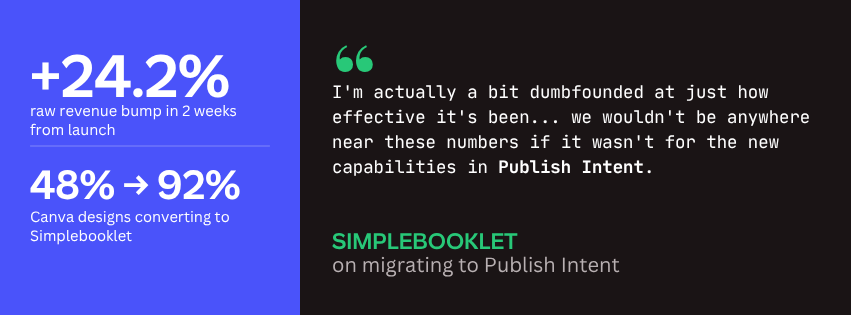
We’ve seen an immediate jump in all Canva user metrics to Simplebooklet.
- We went from a 40% export completion rate using our old extension to a >90% completion rate using the Content Publisher Intent API.
- We had an instant increase in conversions of 34%.
- We experienced a 10x increase in new users from the content publish intent location as compared to the design editor intent location.
We’ve also gotten a lot of anecdotal feedback from Canva users on how much more they appreciate the UX/UI experience found in the share menu directly from their design.
Advice for others
-
Content Publisher Intent is quite well documented, but it's important to thoroughly review everything before submitting — this will ensure that the review process is smooth and you get to market faster.
-
Definitely put in the extra effort to create an effective preview experience. The more fidelity to the actual result of your export, the more users will believe in the quality of your app.